| Crystal Command Report Scheduler PRO ReCrystallize Pro Report Viewer Updates and Hot Fix |
Products
![]() |
Crystal Command You can now run Crystal Reports from a Command Line. This product will allow you to View, Export, Print and Email your existing Crystal Report file (.rpt) without using Crystal Reports. Crystal Command enables you to run a command line from an Event Scheduler, Task Scheduler, SQL Server Scheduler, a windows command line or from any application that requires a command line. You can also run this command line from your own application without costly and time-consuming programming. |
![]() |
Report
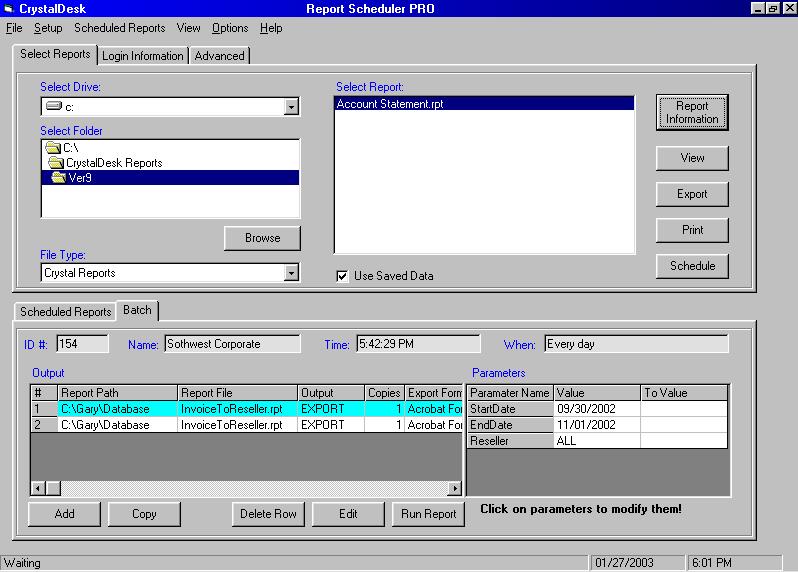
Scheduler PRO (Click here for more details) Report Scheduler PRO is now available. Some of the new features include Batch Report Scheduling as well as many more new features and enhancements. With Report Scheduler PRO you can View or Schedule your existing Crystal Reports for Printing, Export or Email in a wide range of export options including PDF. It also has the ability to Schedule your reports to be Emailed as an attachment in a variety of formats using MAPI or SMTP. |
![]() |
ReCrystallize Pro (Click here for more details)Designed for Crystal Reports. Now Available: ReCrystallize Pro version 5.0 with support for Crystal Reports 11.0 |
![]() Now Available |
Report Viewer (Click here
for more details) The Report Viewer is a simple inexpensive easy to use application that will allow your current Crystal Reports to be Viewed, Printed, Exporting and Email. It is compatible with Crystal Reports Ver. 9.0 Download a 15-day trial of Report Viewer
|
Copyright © 2002, CrystalDesk Software.
Crystal Reports is a trademark of Crystal Decisions (formerly Seagate Software).